
Ancera Post-Harvest Mobile App
Making food production more secure, efficient, and profitable by replacing guesswork with data and decision simulations.
Role & Duration
Lead UX Designer & UX Strategist
~ 1 Year
Tools


The Problem
The poultry industry’s process for detecting diseases and preventing outbreaks lacks efficiency and exacting accuracy, forcing technicians to either spend too much time visiting the farms and factories they purvey, or relying on gut instinct alone—often resulting in costly product recalls.
Ancera’s Post-Harvest app was created to help Food Industry technicians make high-risk decisions by providing them with the data they need at their fingertips, saving them time and money.
Users & Challenges
The food industry technicians we aimed to serve may work as Sales Representatives, Supply Chain Managers, Biosecurity Specialists, Flock Supervisors, or Quality Assurance Officers.
The differing needs of users within these roles created a challenge for feature prioritization and information architecture.
How can we serve these user groups simultaneously while presenting complex data?
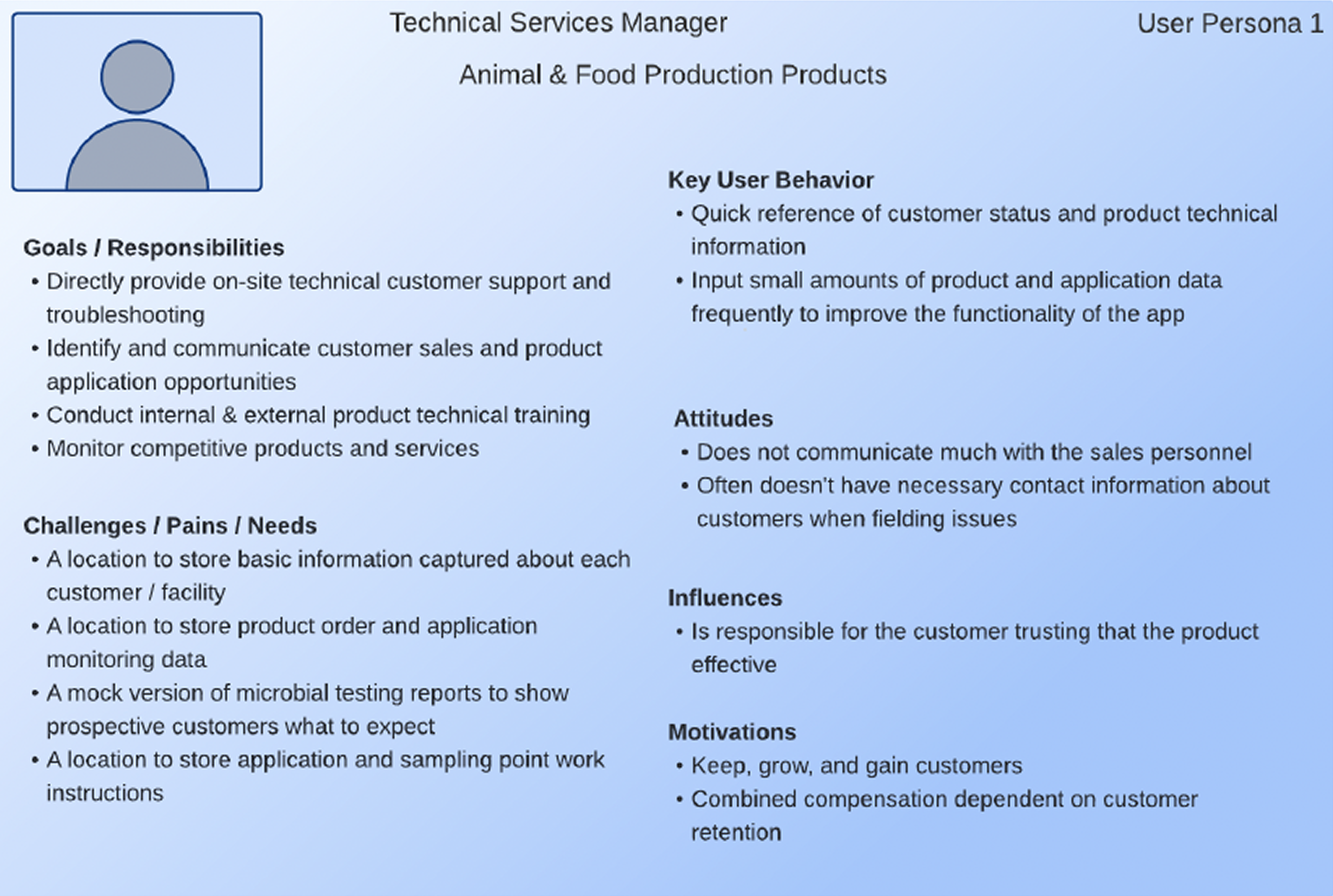
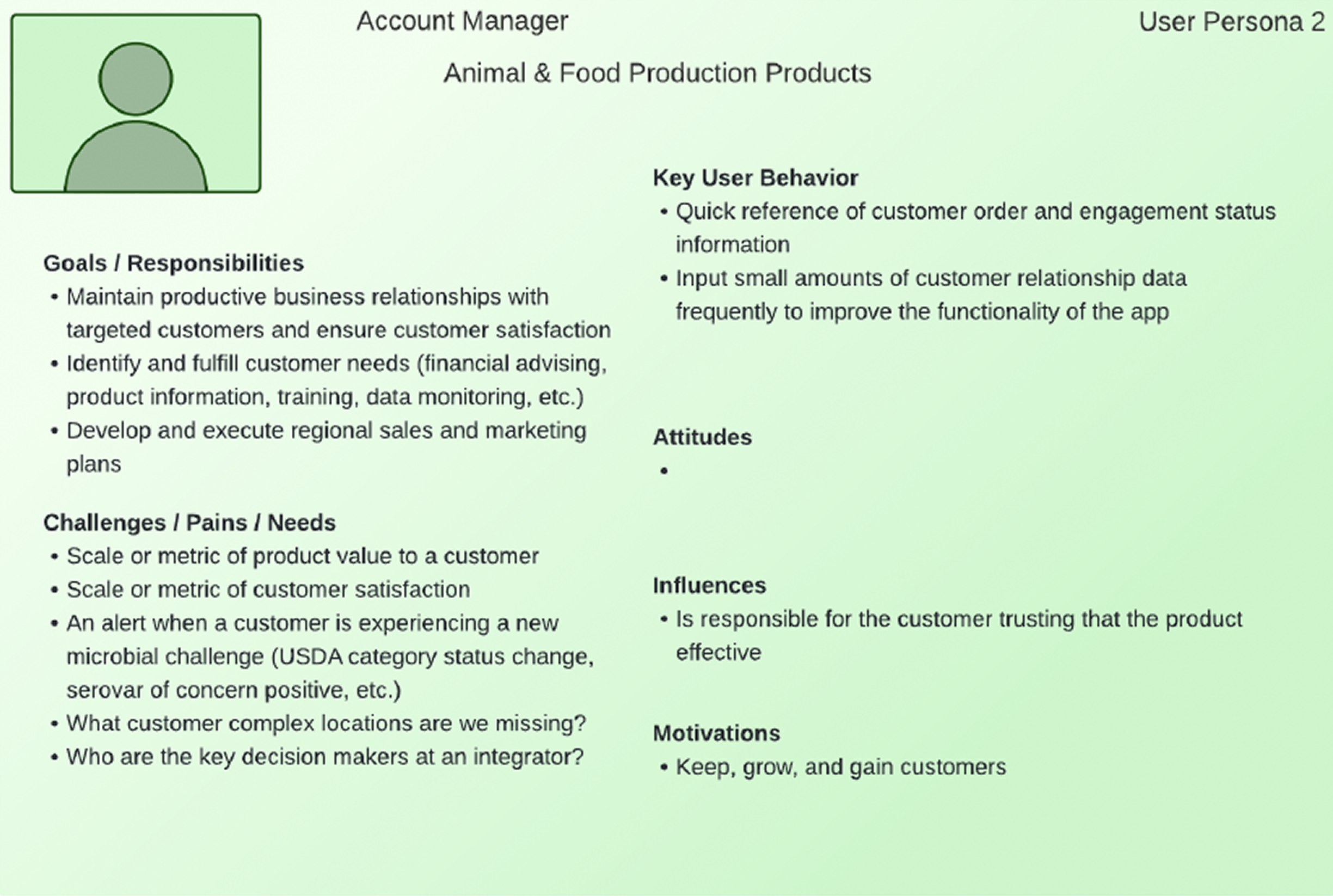
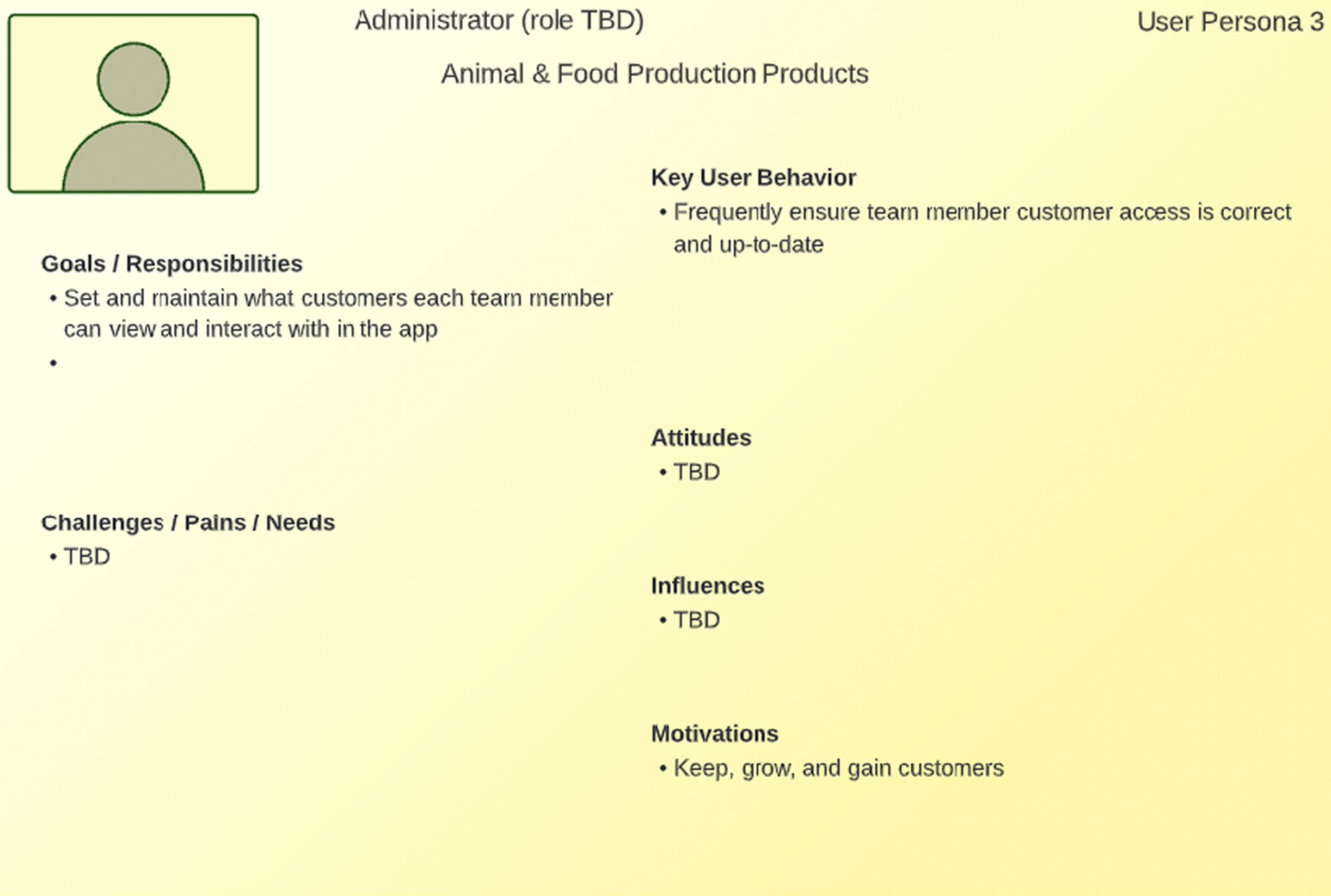
Initially, I was expected to simply translate the CEO’s specifications into clean UI. As the first UX practitioner in the company, I advocated for user interviews, or to at least be brought on to stakeholder meetings. Though I was being the “squeaky wheel” as asked, to identify areas for growth and product refining, my advocacy ultimately was rebuffed, as leadership felt they knew the users already and wanted me to execute the desired design, no questions asked.
After delivering what was asked for, our stakeholders—who represented the user groups targeted—were not satisfied with what was presented nor did they feel that what they needed was being addressed.
Leadership then brought Product Managers onto the project, one of whom was previously one of their R&D Engineers.
With the new leadership on this project, I re-attempted my advocacy for deeper user understanding.
I was then able to lead them in user research exercises and workshops such as:
User profiles/personas to clarify user types and goals.
Whiteboard workshops, such as user flows, user journeys and feature prioritization, to identify key user questions and tasks.
Problem reframing exercises: not “What can we build?” but “What decisions are users trying to make? How can we make the decision making process easier?”
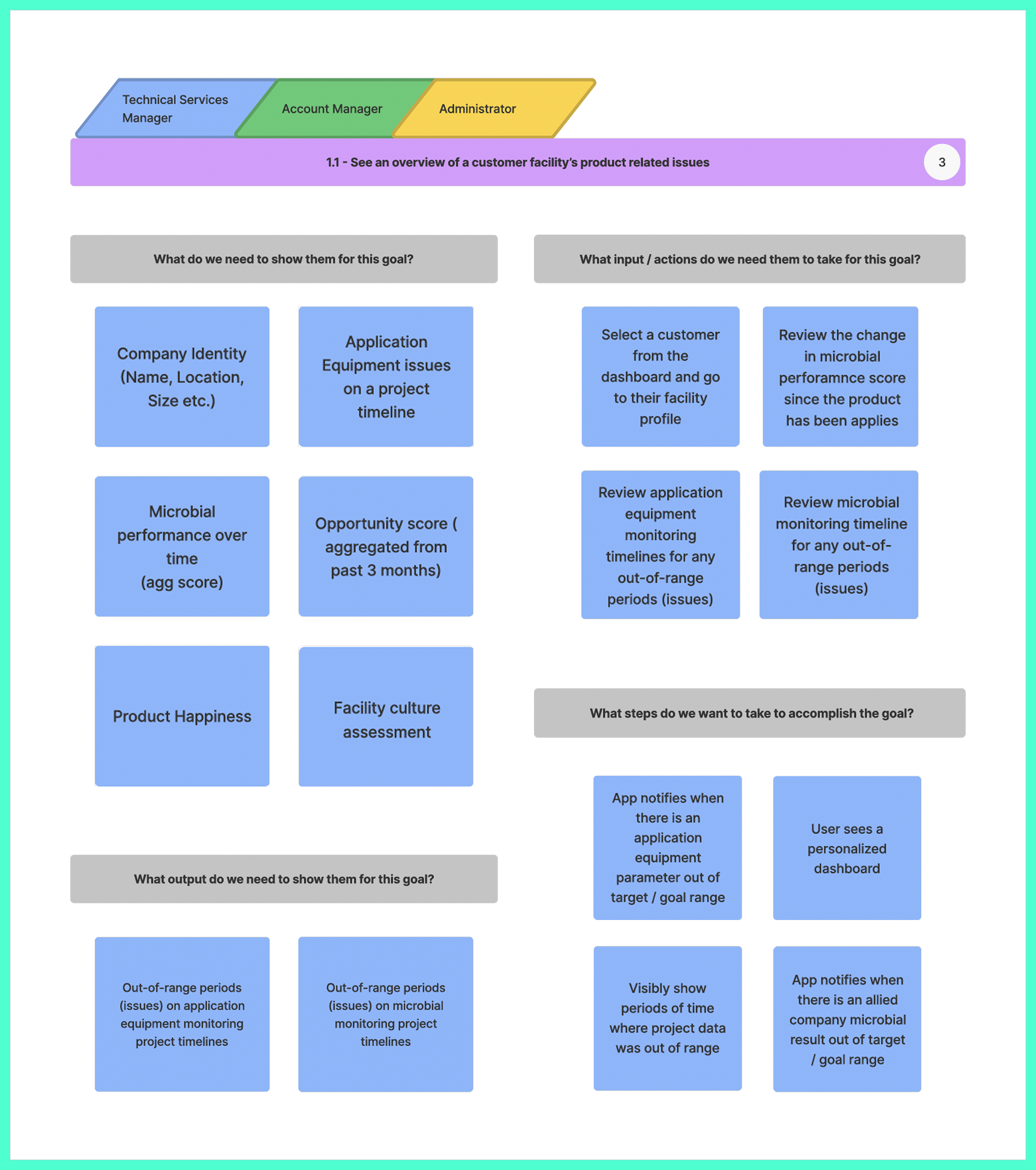
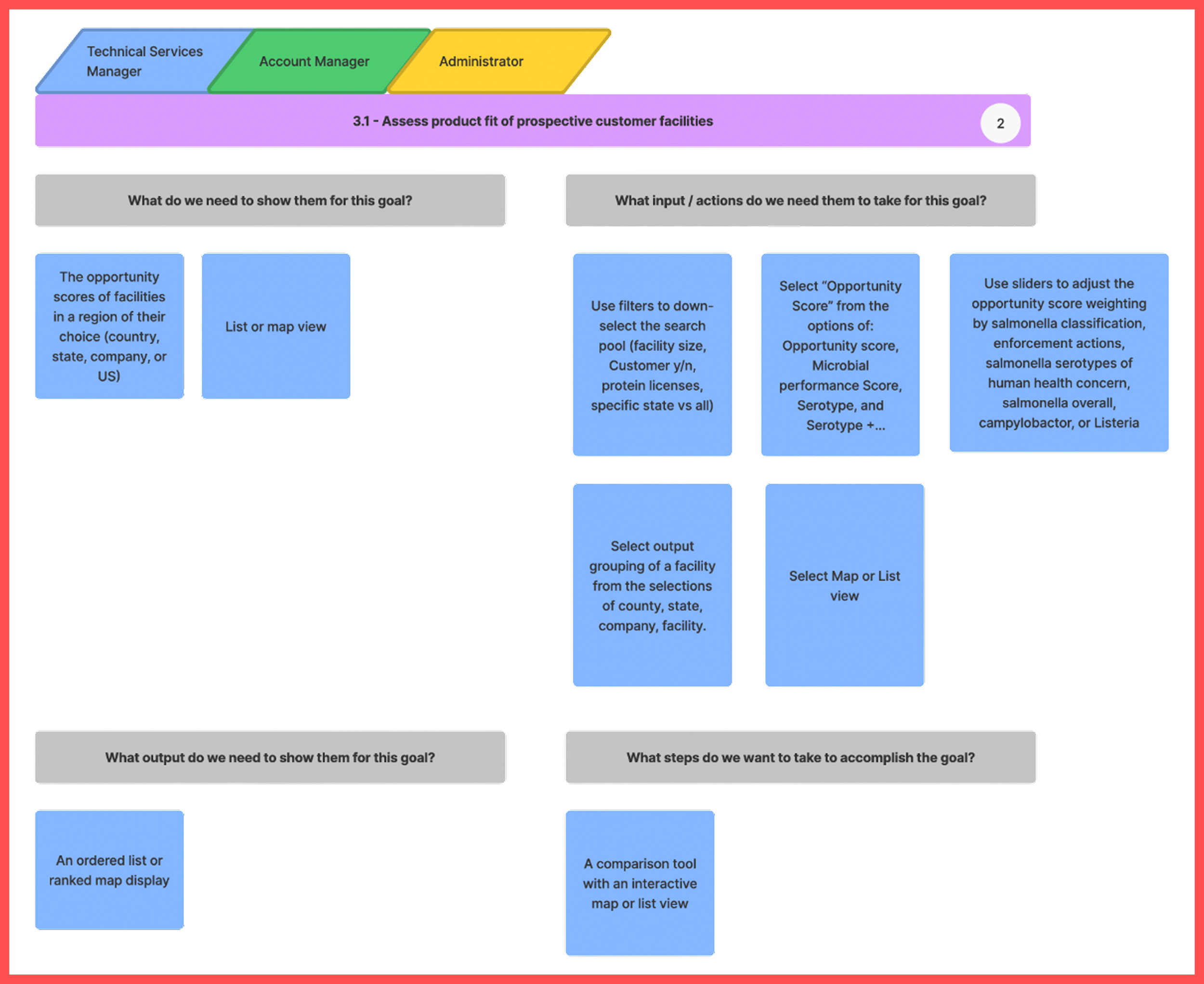
Through user stories we discovered 4 goals shared by all 3 user groups. The 2 most notable for feature selection and information architecture were: seeing an overview of a customer facility’s product related issues and assessing product fit of prospective customer facilities.
The Approach
In order to satisfy the differing needs of our user groups, we created a dashboard with everything available in one shot. Users would also be able to access their settings through a static user profile page, and interact with other technicians on a static messaging page. For the dashboard, we would include the following features informed by the user story exercise:
Overview of a customer facility’s product related issues:
Assessing product fit of prospective customer facilities:
Testing & Iteration
While I was unable to convince leadership to do usability testing to track eye movements and understand users’ intuitive nudges, we did provide a demo of the mid-fidelity screens to stakeholders with reassurance this isn’t final design, it’s just to see if the structure works.
Stakeholders were not satisfied with the dashboard—they felt it was too much and they did not want to see the features that weren’t relevant to them. They also wanted to see the facilities in their purview, products, and an ability to search for facilities on the menu bar. While they liked the idea of the messaging tab, they also felt it didn’t address all of their needs. They also want to be able to filter through industry notification, factory notifications, and other notifications.
We conducted an information architecture to track each role’s needs.
We ended up creating a customizable dashboard to add or subtract the relevant widgets to build their snapshot views according to each user group’s differing needs.
One of the user journeys we focused on was drilling down into pathogen related data. However users decide to structure which features they want to see first on their dashboard, all users have the ability to take deeper dives into available data for facilities. We also included a tab for their list of facilities, a list of products, and an interactive map see a map of farms and factories with a snapshot of basic facts. We pivoted the messaging app into notifications to include the filtering stakeholders mentioned.
After conducting another demo, stakeholders approved the structure. They appreciated the customizable dashboard ideas, with the ability to find facilities either through the discovery tab containing the filterable interactive map or through a list of the facilities they have already saved to the “my facilities” tab.
When using the discovery tool, users could filter by facility type or ranking. If using filters, users select processing or slaughter size, location, harvest type (chicken, turkey, pork, or all), and processing type (ready to eat, non-ready to eat, raw intact, or raw non-intact.
Once they select a facility, they can then view that facility’s identity facts, microbial performance, and big picture timeline. From the microbial performance tab within a facility profile, they can dive deeper into the data for a specialized view.
Final Product
We incorporated final feedback into a revised MVP, which launched in December 2022 with the following features:
📲 MVP Features
Onboarding flow for new users
Dashboard with industry alerts, customer performance, and personalized filters
Discovery tool with customizable search filters (protein, process type, serotype)
Facility profiles with performance timelines, percentile comparisons, and culture results
Watchlist & My Facilities to track high-priority accounts
Notifications for new datasets, recalls, and status changes
Product page with all offerings listed in a separate section
Outcomes
I left the company shortly after launch, so I haven’t been able to see performance data, but if I did here are the key metrics I would look for to diagnose success:
To track User Acquisition & Initial Launch Success, I would look for Downloads & Installs, app store chart rankings and conversion rates of store page views to downloads, and user acquisition source (organic, paid, social) to identify effective channels.
For Engagement & Retention, checking the Number of unique users engaged daily vs. monthly, the ratio of how many of those user types return, percentage of users returning after set milestone dates, and session length
App Performance & STability would be indicated by crash rates, screen loading times and requests, and memory or battery usage.
User Behavior & Monetization: If users are dropping off during onboarding or task flows and the rate of drop-offs, average revenue per user, and predicted revenue per user.
This project was a great lesson in learning how to be an advocate for users when up against unyielding leadership, how to create allies that will vouch for your ideas, how to communicate in the language of various roles (engineering, leadership, stakeholders etc.), and show the value of utilizing UX research techniques from the get-go instead of mid-project.
Want to know how I introduce clarity to chaotic cultures?
Discover my signature C.L.E.A.R. framework — built for real-world UX in startups and low-maturity orgs.
You can read more about it here.